A corporate messenger on your own serverwith absolute data protection.

A familiar messenger with a full feature set — deployed on your own server with full E2EE encryption. Even with physical access to the server, reading conversations is impossible. One purchase, and secure communication is settled forever.
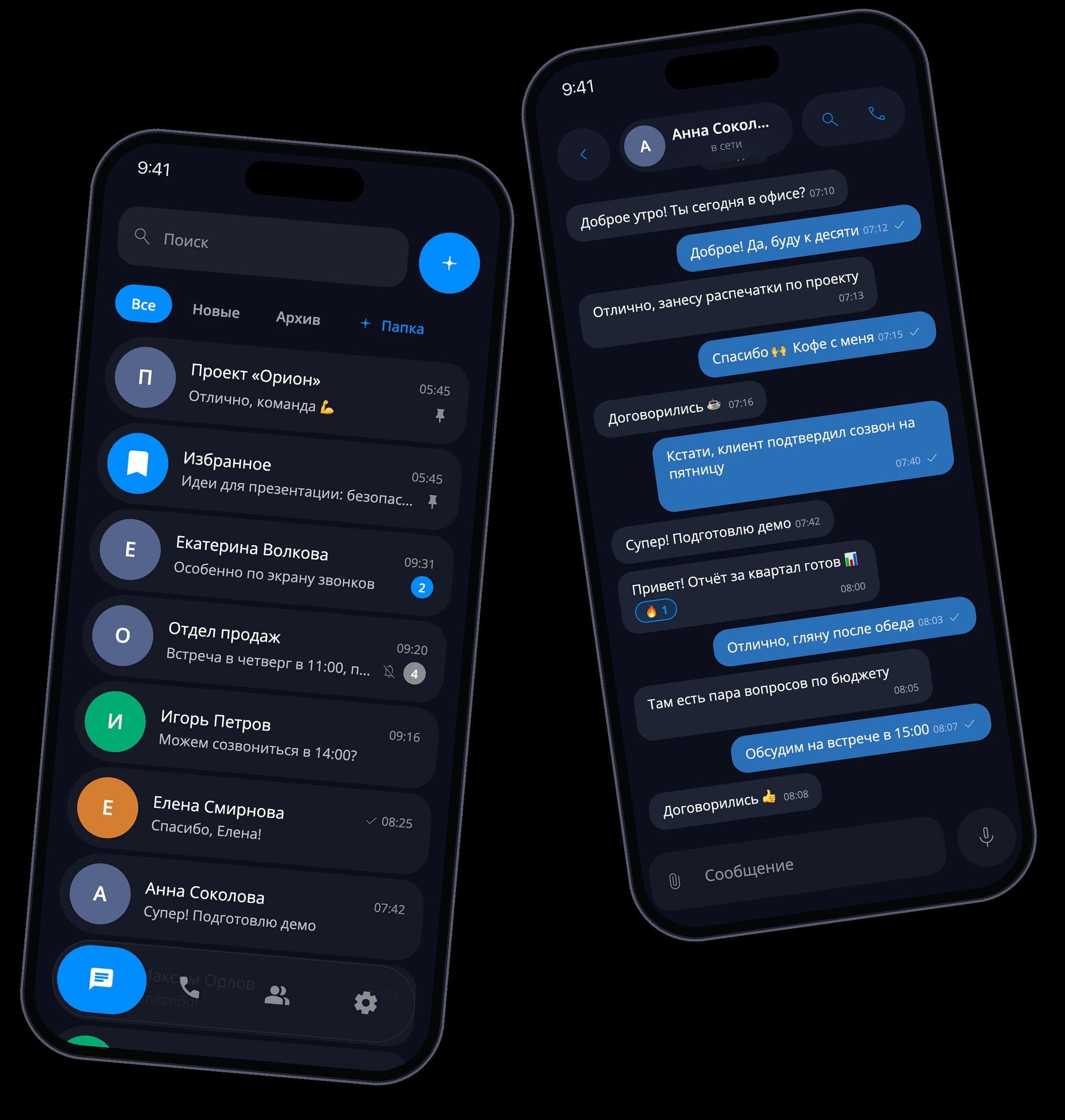
Full feature overview of VAU! Chat

From messaging and calls to groups, media, and end-to-end encryption — see everything the messenger can do on a single page.

See features

Why are WhatsApp and Telegram a threat to your business?

Your conversations, files, and trade secrets live on someone else's servers. They can be blocked, read, or compromised at any moment.
Data leaks

Data leaks

Conversations and trade secrets sit on someone else's servers, outside your control.

Data is readable on the server

Data is readable on the server

In most solutions, server-side data is stored in plain text — anyone who gains access to the server can read everything.

Uncontrolled access

Uncontrolled access

Former employees retain access to chat history and attachments.

No control over the rules

No control over the rules

You can't set corporate policies: who can see conversations, how long messages are stored, who can access files.

ISP blocking

ISP blocking

Telegram and WhatsApp can be blocked by internet providers at any moment, paralyzing company communications.

A familiar messenger.Absolute protection.

VAU! Chat is a corporate messenger on your own server with full encryption, where neither the server admin, nor the provider, nor anyone else can read your conversations. Pay once, and secure communication is yours forever.

  • Full control in one menu

    Manage encryption, devices, and security policies from a single place.
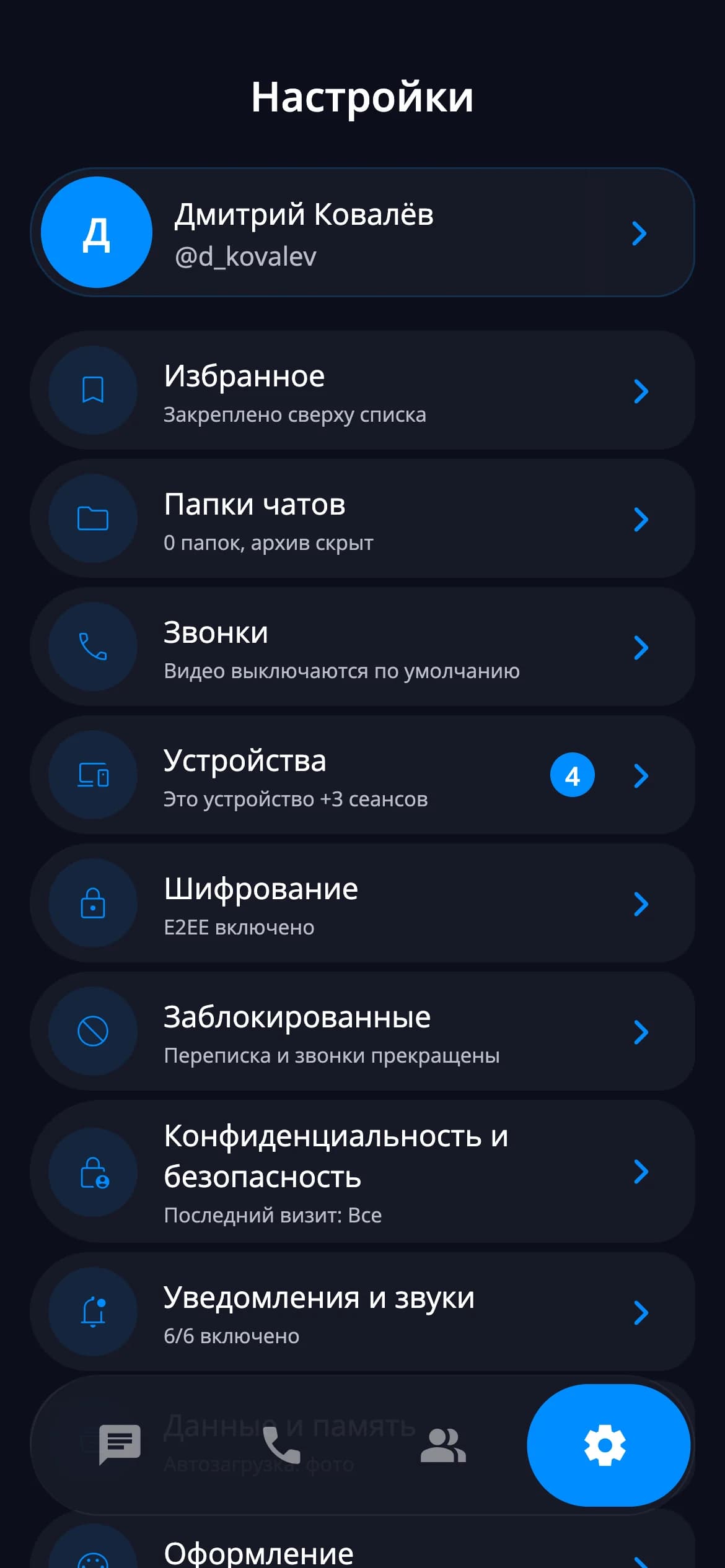
    Settings screen of the VAU! Chat corporate messenger with E2EE encryption options and security policies
  • Calls under your control

    1:1 and team calls inside a protected corporate perimeter.
    Secure corporate calls in VAU! Chat with encrypted connections
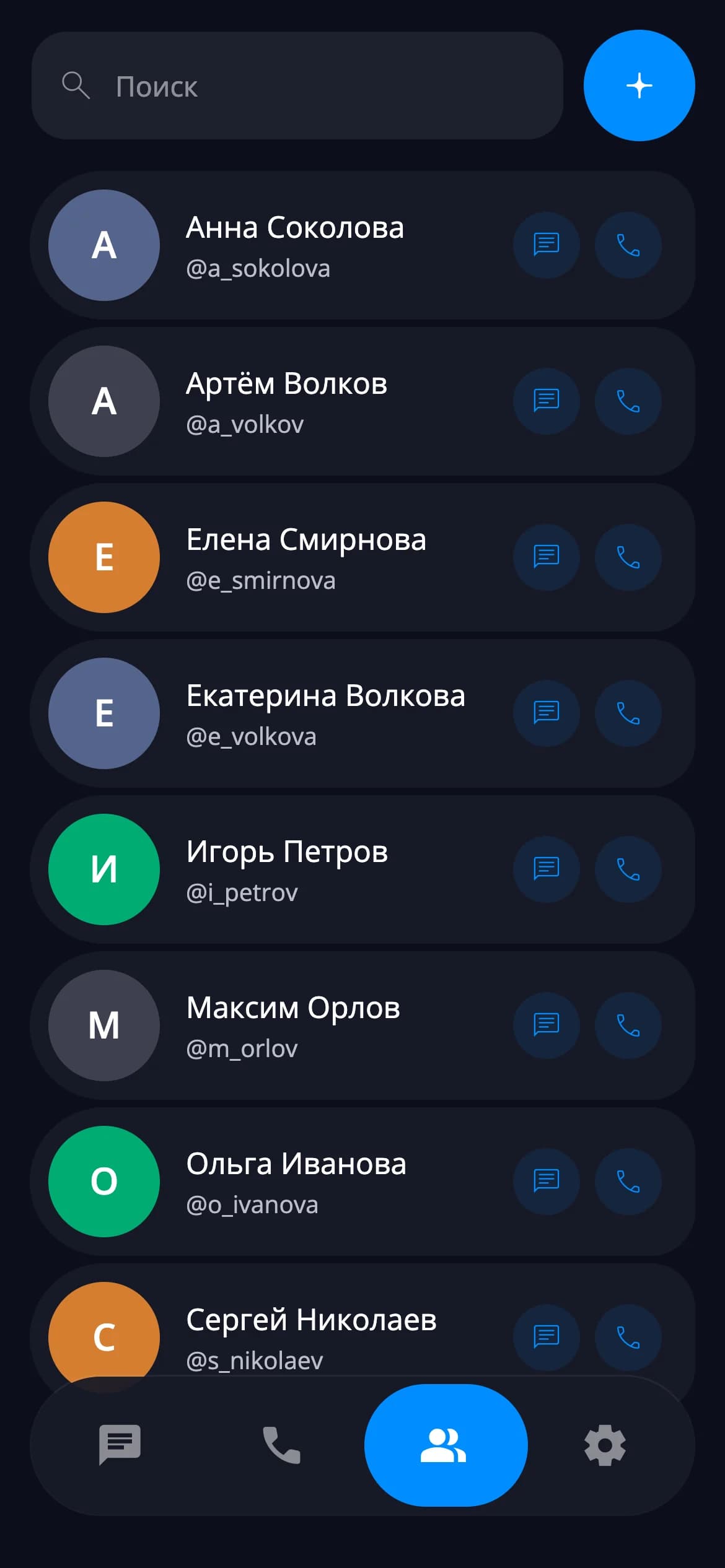
  • A familiar chat list

    Chats, archive, and filters your team can use without training.
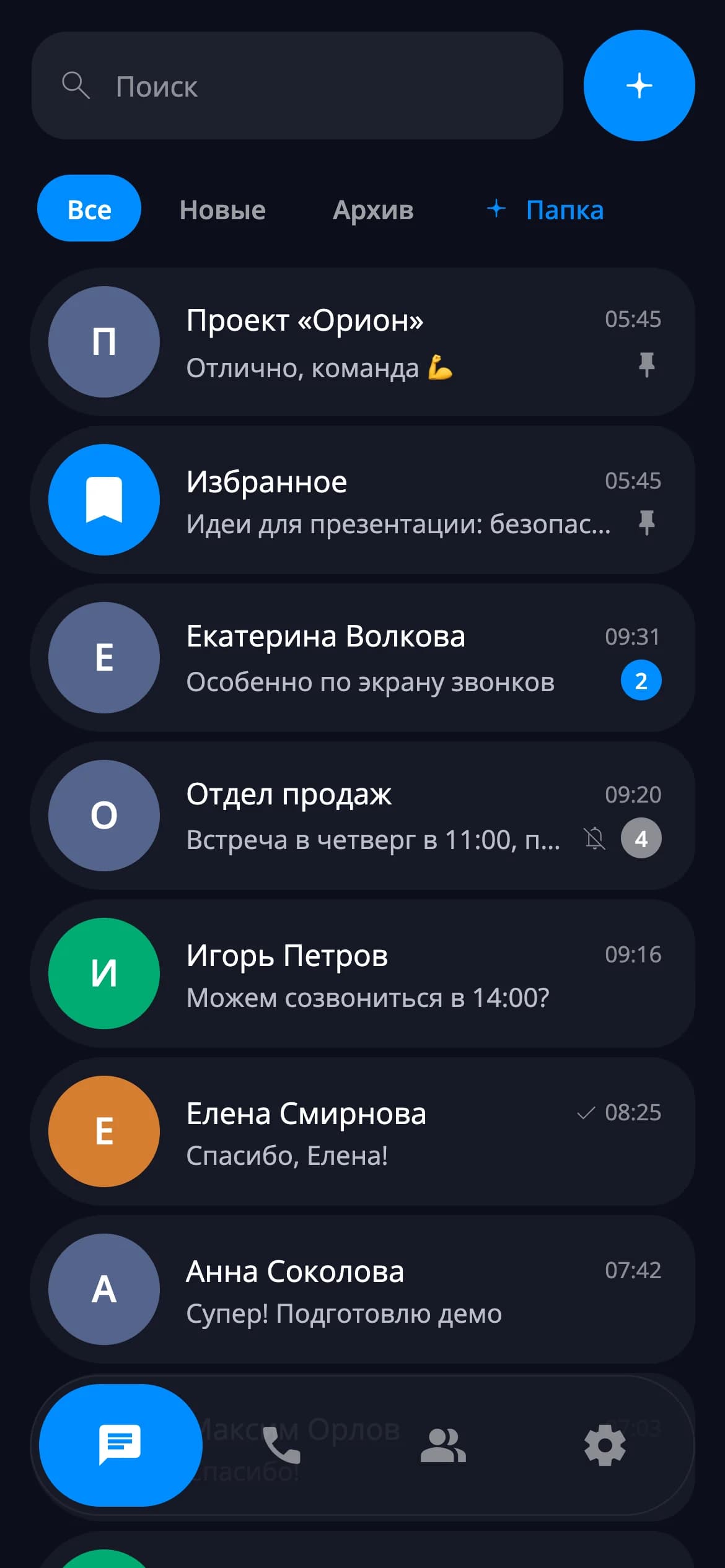
    List of secure corporate chats in VAU! Chat on your own server
  • 1:1 and team calls

    Call within your protected perimeter and manage the call in real time.
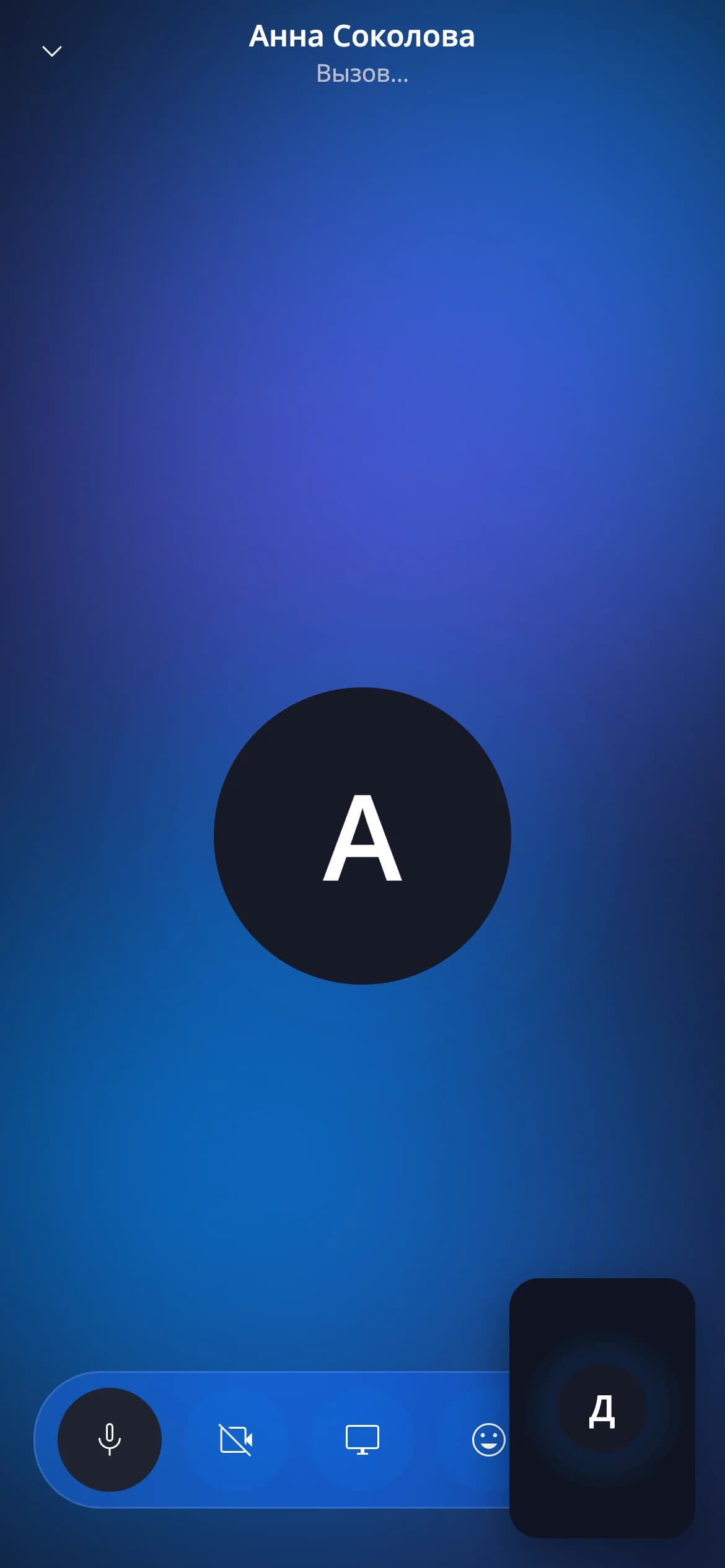
    A 1:1 call in the VAU! Chat corporate messenger
  • Message reactions

    React to messages with emoji and manage actions from the context menu in one step.
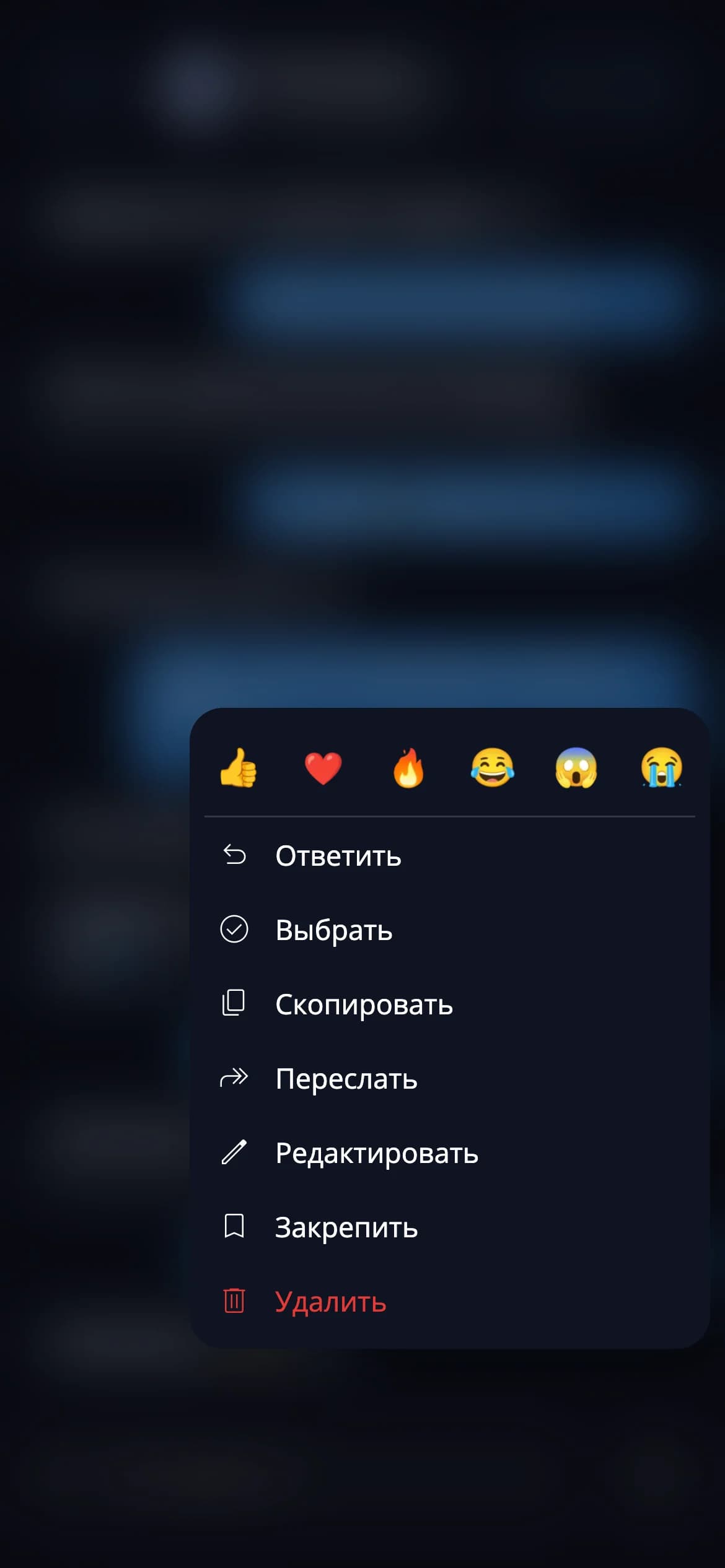
    Message reactions in the E2EE corporate messenger VAU! Chat
  • Video circles in one tap

    Send short video messages right from the chat without switching screens.
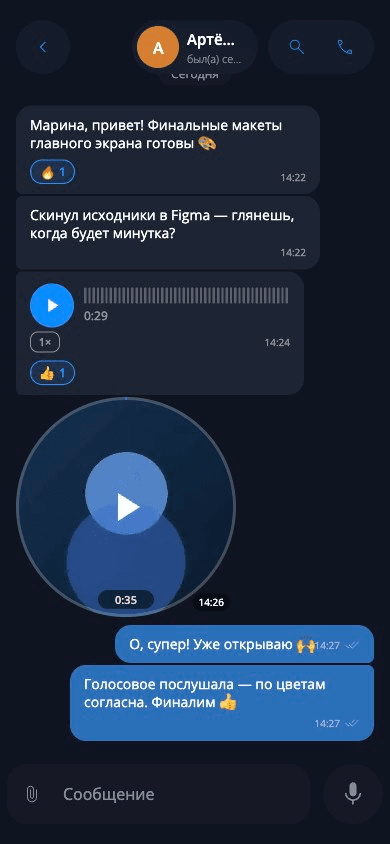
    Video circles in the secure corporate messenger VAU! Chat

Conversations are only available from verified devices — a new browser or device won't show the history.

Panic password: enter it under duress, and all account conversations are instantly hidden.

Providers can't block your chat — it runs on your own server.

A server in any country in the world — you decide where your data is stored.

Account blocking and device key revocation when an employee leaves or an incident occurs.

Secure access for contractors and clients, limited to only the channels they need.

Conversations are only available from verified devices — a new browser or device won't show the history.

Panic password: enter it under duress, and all account conversations are instantly hidden.

Providers can't block your chat — it runs on your own server.

A server in any country in the world — you decide where your data is stored.

Account blocking and device key revocation when an employee leaves or an incident occurs.

Secure access for contractors and clients, limited to only the channels they need.

Conversations are only available from verified devices — a new browser or device won't show the history.

Panic password: enter it under duress, and all account conversations are instantly hidden.

Providers can't block your chat — it runs on your own server.

A server in any country in the world — you decide where your data is stored.

Account blocking and device key revocation when an employee leaves or an incident occurs.

Secure access for contractors and clients, limited to only the channels they need.

Security

No one can read your conversations.Not an attacker, not the provider, not even us.

1

End-to-end encryption (E2EE)

All messages and files are protected with end-to-end encryption. Even with physical access to the server, they can't be read — decryption happens only on devices. Calls run over an encrypted connection.

2

Device binding

Conversations are only accessible from verified devices. Signing in from a new browser or device won't reveal past message history.

3

Panic password

Set a separate panic password. If you're forced to log in under duress, enter it — all account conversations are instantly hidden and the account appears empty.

4

Unblockable communication

Unlike Telegram or WhatsApp, providers can't block your chat — your messenger runs on your own server.

5

A server in any country

You decide where to host the server: a physical machine in your office, your own data center, or a VPS anywhere in the world.

6

Deleting conversations

Delete messages and clear chat history manually. The panic password instantly hides all account conversations.

7

Revoking access

A single action blocks the account and revokes its device keys — after that, the device can no longer decrypt conversations.

8

Access moderation

Every new employee or partner is approved by an administrator before getting access.

9

Files up to 1 GB

Uncompressed transfer, previews, and full lifecycle control for E2EE-protected files.

10

Calls and video

Up to 50 participants with encrypted connections and stable call quality.

11

Admin panel

Manage users and roles, moderate access, and configure security settings.

12

Web, iOS, Android, and desktop

The web version runs in any browser with no install. Dedicated apps are available for phone and desktop — pick whatever's more convenient.

VAU! Chat vs. popular alternatives

A clear comparison of corporate-ready capabilities.
Swipe
CapabilityVAU! ChatTelegramWhatsAppSlackMattermost
On-premise deployment✓✗✗✗✓
End-to-end encryption (E2EE)✓Partial✓✗✗
Unreadable data on the server✓✗Partial✗✗
Device-bound history✓✗✗✗✗
Panic password (hides data)✓✗✗✗✗
Can't be blocked by providers✓✗✗✗✓
Device access revocation✓✗✗Partial✓
Access moderation✓✗✗Partial✓
One-time license✓——✗✗

We'll deploy a securecommunication environment in 1 hour.

1

Prepare the server

A physical server in your office, a virtual machine in your own data center, or a VPS from a trusted provider.

2

Deploy the product

Our engineers deploy the product on your server. Setup instructions and ongoing support are included

3

Configure policies

Roles, access, new user moderation, and message deletion rules.

4

Onboard your team

Send out invitations and move your communications into a fully controlled environment.

Apps

On any device

The messenger works the same way on your phone, computer, and browser — choose whatever is convenient.

iOS

A native iPhone app — provided to companies on request.

Access on request

Android

A native Android app — installed as an APK file without Google Play, provided on request.

Access on request

Web

Opens in any browser on any device — nothing to install.

Desktop

A dedicated app for Windows and macOS with automatic updates.

Your rules. Your policy. Full control.

Configure the messenger to match your company's internal policies — no compromises, no third-party platform restrictions.

Data management

Delete messages and clear chat history manually. The panic password instantly hides all account conversations.

Access control

Flexible roles and permissions: owner, admin, member, and read-only mode. Control who can post, invite members, and manage the chat.

Panic login log

Every panic password trigger is logged in the admin panel with IP and device — so you can see attempts to access the account under duress.

Development security

Regular penetration testing, controlled update delivery, and a transparent product architecture.

E2EEAES-256RBACOn-PremiseSelf-Hosted

Address from the VAU! Chat Leadership

Integrates with your infrastructure

Connects to your existing corporate systems without compromising security.
REST API

REST API

A documented REST API (OpenAPI/Swagger) for integrating with your systems.

Log export

Log export

Application logs can be forwarded to any syslog-compatible log collection system.

Your own infrastructure

Your own infrastructure

Self-hosted: you fully control the server, database, and file storage.

Pricing

One payment — secure communicationforever.

No monthly subscriptions, no hidden fees. All features are included in every plan — you only choose the number of users.

100% of features in every plan. No stripped-down tiers, no paid add-ons — the full feature set from day one.

20users

Team

Up to 20 users

$5 900

One payment — yours forever

Popular
50users

Company

Up to 50 users

$9 900

One payment — yours forever

∞users

Enterprise

Unlimited users

$14 900

One payment — yours forever

What's included in every plan

The only difference is the number of users. The full feature set, with no limits.

End-to-end encryption (E2EE) for all messages and files

End-to-end encryption (E2EE) for all messages and files

Conversations bound to verified devices

Conversations bound to verified devices

Panic password for instantly hiding conversations

Panic password for instantly hiding conversations

Full admin panel: users, roles, and access moderation

Full admin panel: users, roles, and access moderation

Video calls for up to 50 participants with encrypted connections

Video calls for up to 50 participants with encrypted connections

File transfer up to 1 GB with previews

File transfer up to 1 GB with previews

Invite partners into isolated channels

Invite partners into isolated channels

Access moderation: new users approved by an administrator

Access moderation: new users approved by an administrator

Admin-controlled device access and key revocation

Admin-controlled device access and key revocation

Web, iOS, Android, and desktop — on any device

Web, iOS, Android, and desktop — on any device

Deployment assistance and engineering support

Deployment assistance and engineering support

Updates and technical support for one year

Updates and technical support for one year

Swipe

Technical requirements

Minimum server requirements

Deploys on standard hardware with no specialized configuration.
CPU and RAM

CPU and RAM

From 4 cores / 8 GB RAM for a basic setup with up to 20 users.

Storage

Storage

From 100 GB SSD. Capacity depends on your file retention policy.

OS and platform

OS and platform

Ubuntu 22.04+, CentOS 8+, Docker 20+. Supports VMs and bare metal.

Network

Network

Static IP, SSL certificate. Fully functional in air-gapped networks without internet access.

Geography

Geography

The server can be located in any country. You choose where your company's data is stored.

Server-side data protection

Server-side data protection

Conversation content and files on the server are encrypted and cannot be decrypted without the keys stored on users' devices.

Trusted to protect corporate communications

Financial institutionsManufacturing companiesIT companiesLaw firms

«We were looking for a solution that would give us full control over employee conversations and align with our internal security policies. We deployed VAU! Chat on our own server in half a day. One payment, and the question was closed.»

Alexey V.

Head of Information Security, Financial Group

«Confidentiality is critical for a legal practice. The self-hosted version gave us a guarantee that data never leaves our premises. Even we, as administrators, can't read the conversations.»

Dmitry K.

Managing Partner, law firm

«We moved our internal communications to VAU! Chat. The interface feels just like any regular messenger, but with full control. No provider can block it — it's our own server.»

Ivan S.

Head of Development, IT company

Frequently asked questions

How quickly can the system be deployed?
With Docker or a virtual machine ready, basic setup usually takes about 30 minutes. If needed, an engineer can walk through the process with your team.
How does the panic password work?
You set a separate panic password. If you're forced to log in under duress, enter it — all account conversations are instantly hidden and the account appears empty. Access can be restored later.
What would someone see if they gained access to the server?
Without keys from verified user devices, an attacker would only see encrypted data. The content of conversations remains unreadable.
Will I see my conversations if I log in from a new device?
No. Message history is only available on verified devices, so a new browser or device won't automatically unlock past conversations.
Can internet providers block VAU! Chat?
No. The service runs on your own server and doesn't depend on the infrastructure of public messengers, so Telegram or WhatsApp blocks don't affect it.
Can the server be hosted abroad?
Yes. The server can be deployed in any country — in your own data center, on a virtual machine, or entirely within an isolated corporate perimeter.
What's included in the license price?
It's a one-time license with no monthly subscription. Every plan includes full functionality, plus updates and technical support for one year.
What happens to a former employee's data?
The administrator blocks the account and revokes its access keys — after that, the employee's device can no longer decrypt conversations.
Can external partners be added?
Yes. Partners can be invited into isolated channels and restricted by role, so they only see the conversations and files assigned to them.
Can it work without internet access?
Yes. VAU! Chat supports operation in isolated and air-gapped networks with no internet access, if that's what your infrastructure requires.

Your conversations should belong to you alone.

One payment — and you get a corporate messenger that cannot be read, blocked, or compromised. Leave a request and an engineer will give you a personal demonstration.